
Confirm, produce and ship
The three actions a supplier takes on every purchase order.
- 1
Open the PO
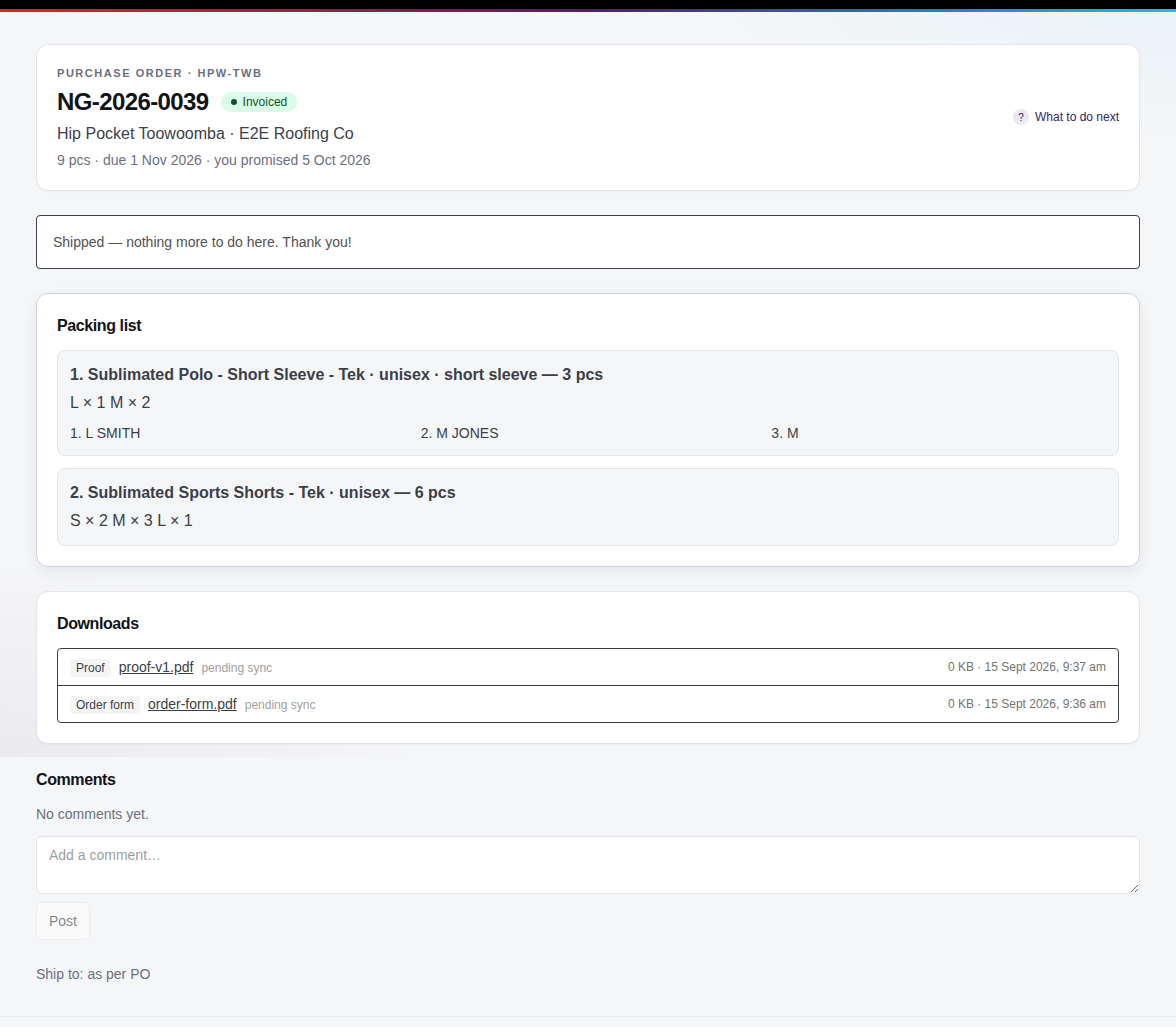
New purchase orders appear under To confirm (you get an email too). The order page has the packing list — sizes per garment, names and numbers — the files, and Nova Gear's notes. Prices are never shown.
- 2
Confirm with a ship date
Enter the date you expect to ship and click Confirm order. Nova Gear and the store are notified. If a ship date passes without tracking, the order is flagged.
- 3
Mark in production
When cutting and printing starts, click Mark in production so everyone can see it's underway.
- 4
Add the shipment
Enter the carrier and tracking number (cartons and ETA are optional) and click Add shipment. The order moves to Shipped and the store gets the tracking link.
Questions we get
Something in the print pack doesn't make sense.
Post a comment on the order — Nova Gear sees it immediately. Comments are between you and Nova Gear; the store doesn't see them.
Still stuck? Email admin@novagear.au with the order number and what you were trying to do.