
Placing an order
From New order to Submitted: who it's for, what kind of order, garments and sizes, files, submit.
- 1
Start a new order
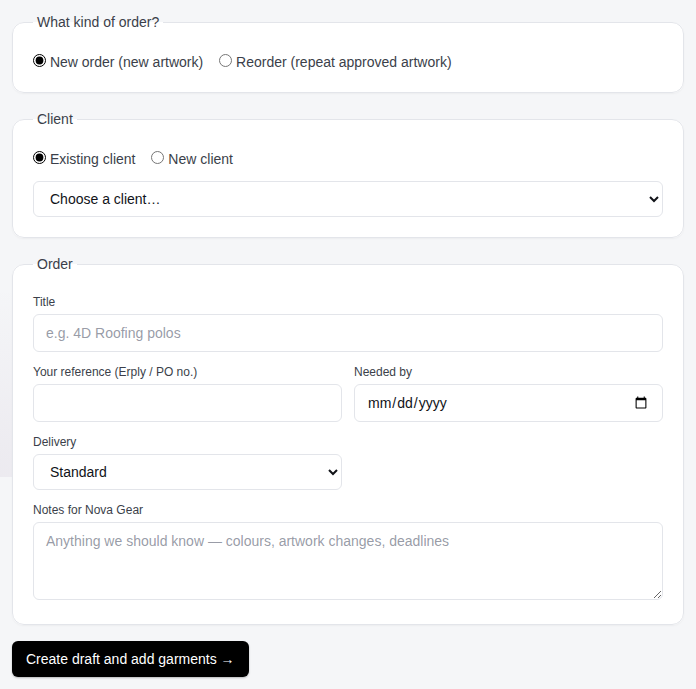
From My orders click New order. Step 1 asks who the order is for and what kind of order it is.
- 2
New order or reorder?
Choose New order for new artwork. Choose Reorder to repeat a previous order: pick the order, then the proof or mockup you're repeating. The client is filled in for you and the garments, sizes and names are copied across (untick the box if you'd rather start empty).
- 3
Pick the client
Choose an existing client or type a new one. A short code (like TGCH) is optional and shows up on labels and file names.
- 4
Title, reference and dates
Give the order a title you'll recognise, add your Erply or PO number as the reference, and set the date you need it by. Standard or rush delivery. Notes for Nova Gear go in the box at the bottom.
- 5
Add garments and sizes
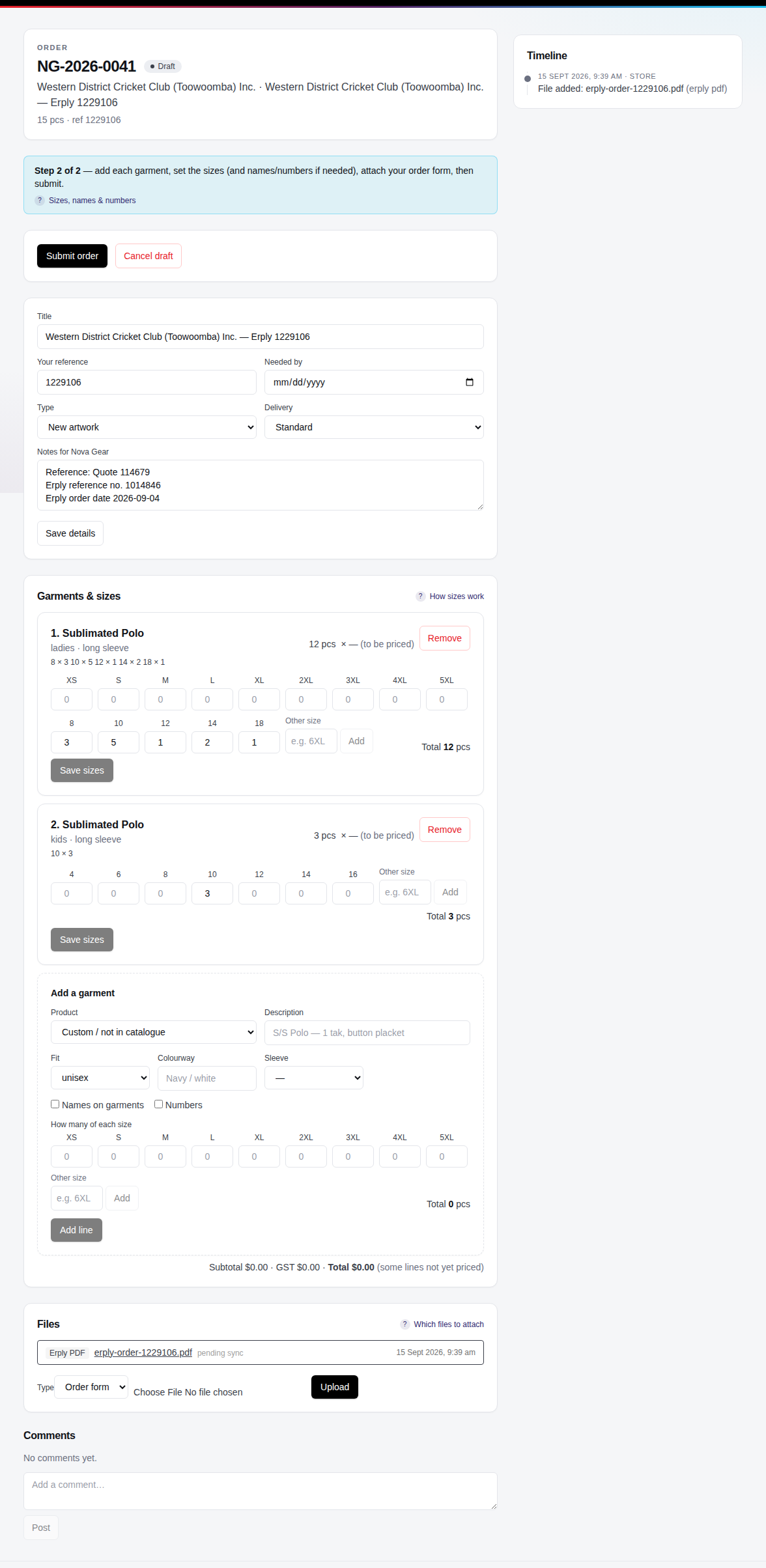
Step 2 is the order page. In Add a garment pick the product from the catalogue (sizes follow the product and fit), or leave it as custom and describe it. Enter the quantity per size, or tick names/numbers to enter one row per player. Add as many lines as you need.
- 6
Attach your order form
Under Files, upload your order form or any artwork you have. PDF, images and spreadsheets are all fine.
- 7
Submit
Click Submit order. Nova Gear gets an email and starts on the proof. You can still add comments after submitting, but garments and sizes are locked — ask us in the comments if something needs to change.
Tip: Not ready? Just leave. Drafts are saved as you go and stay on My orders until you submit.
Questions we get
Can I edit an order after submitting?
Not directly — the proof and price are based on what was submitted. Post a comment on the order and Nova Gear will make the change or ask you to reorder.
Where do I see the price?
On the order page under the garments once Nova Gear has priced the lines. Catalogue products are priced automatically.
Still stuck? Email admin@novagear.au with the order number and what you were trying to do.