
Signing in and your password
How logins work, what to do if you've forgotten your password, and how to change it.
- 1
Use the login Nova Gear created for you
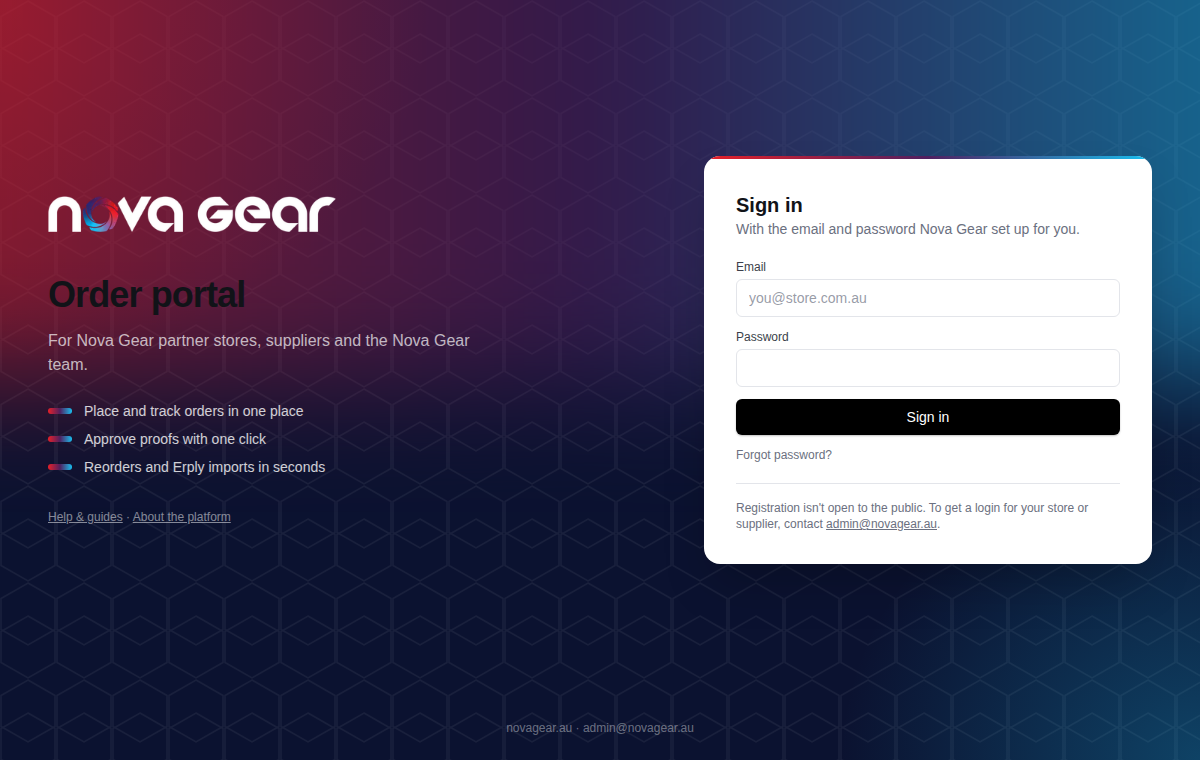
Go to orders.novagear.au and sign in with your email and password. There is no public sign-up — if your store doesn't have a login yet, email admin@novagear.au and we'll set one up.
- 2
Forgot your password?
On the sign-in page click Forgot password?, enter your email and we'll send a reset link. It expires after an hour. The link takes you to your Account page where you set a new password.
Tip: First time here and never had a password? Use the same Forgot password link to create one.
- 3
Change your password any time
Click your name in the top-right corner to open Account, enter a new password twice and save. Passwords need at least 10 characters with letters and a number.
Questions we get
I share a computer with a colleague. Can we use one login?
Better not: the order history records who did what. Ask Nova Gear for a login per person — it takes a minute.
The reset email hasn't arrived.
Check spam for a message from admin@novagear.au. If it's not there after a few minutes, email us and we'll issue a temporary password.
Still stuck? Email admin@novagear.au with the order number and what you were trying to do.